

Two Dimensional Lookup
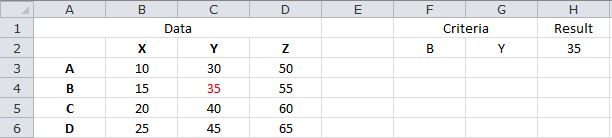
The following formula performs a lookup based on the values in F2 and G2, and returns the corresponding value from B3:D6...
=INDEX(B3:D6,MATCH(F2,A3:A6,0),MATCH(G2,B2:D2,0))
Based on the sample data, the formula returns 35.
Sample Workbook: Download