

Sum Based on a Single Criteria in a Filtered List
Unfiltered List
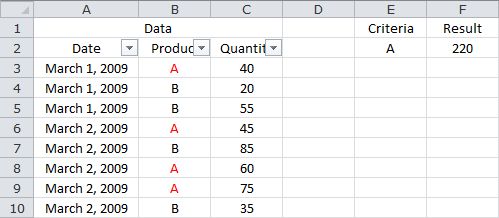
Filtered List
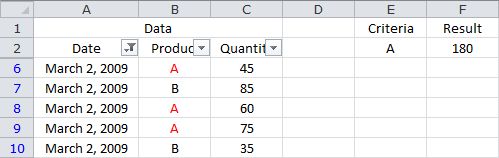
The following formula returns the sum of C3:C10, where the corresponding value in B3:B10 equals the value in E2, in a filtered list...
=SUMPRODUCT(--(B3:B10=E2),SUBTOTAL(9,OFFSET(C3:C10,ROW(C3:C10)-ROW(C3),0,1)))
Based on the sample data, the formula returns 180.
Sample Workbook: Download